Skip to content
You've written a superb service page for your business, polished the wording, added a contact form and waited for enquiries. Yet it sits somewhere in the site, receiving neither visitors nor much attention from Google. It's rather like putting the office kettle in a cupboard and wondering why nobody makes tea.
For UK service businesses, internal linking HTML connects the pages that matter. Done properly, it helps users move through your site, gives Google crawlable routes between related pages and supports the accessibility standards expected across UK digital publishing. The work isn't glamorous, but it often turns a collection of isolated pages into a useful, understandable website.
Table of Contents
- Why Your Best Pages Stay Invisible Without Internal Links
- Writing Internal Links in HTML the Right Way
- Building a Hub and Spoke Architecture That Actually Works
- Common Internal Linking Mistakes and How to Fix Them
- Auditing and Scaling Internal Links Across Your Site
- Your Internal Linking Action Plan
Why Your Best Pages Stay Invisible Without Internal Links
A local solicitor might have a strong page about conveyancing, while the homepage only links to “Services” and a few general information pages. A plumber may publish a detailed emergency boiler repair page, then leave it reachable only through an old blog post. The pages exist, but their routes are weak.
Google says every page you care about should have a link from at least one other page on your site. That rule is especially practical for a local business. A solicitor's conveyancing page should be reachable from the homepage, a relevant service hub and useful supporting content. A plumber's emergency repair page shouldn't require users or crawlers to conduct an archaeological dig.

What crawlers need from your site
Google discovers pages by following links. If a page has no meaningful internal route pointing towards it, it becomes an orphaned page. Users may still reach it through a direct URL, an advert or a search result, but your site isn't helping Google understand where that page belongs or why it matters.
Internal links also create relationships. A blog post about leaking roofs linking to a roof repair service page tells users what to do next and gives search engines useful context. The anchor text, surrounding sentence and source page all contribute to that relationship.
Practical rule: Treat your internal links as roads between important destinations, not decorative buttons scattered around the website.
The UK government's publishing guidance treats linking as part of accessibility and usability, not merely as an SEO trick. GOV.UK recommends descriptive link text, prohibits links in titles, summaries and subheadings, and advises publishers to link to the page hosting a document rather than directly to an attachment. That HTML-first approach makes content easier to explore and gives every important page a clear place in the wider site.
For a structured review of your existing routes, the internal linking audit for 2026 offers a useful audit-focused reference. Start with the pages that generate enquiries, then work backwards through the site to find where the pathways stop.
Writing Internal Links in HTML the Right Way
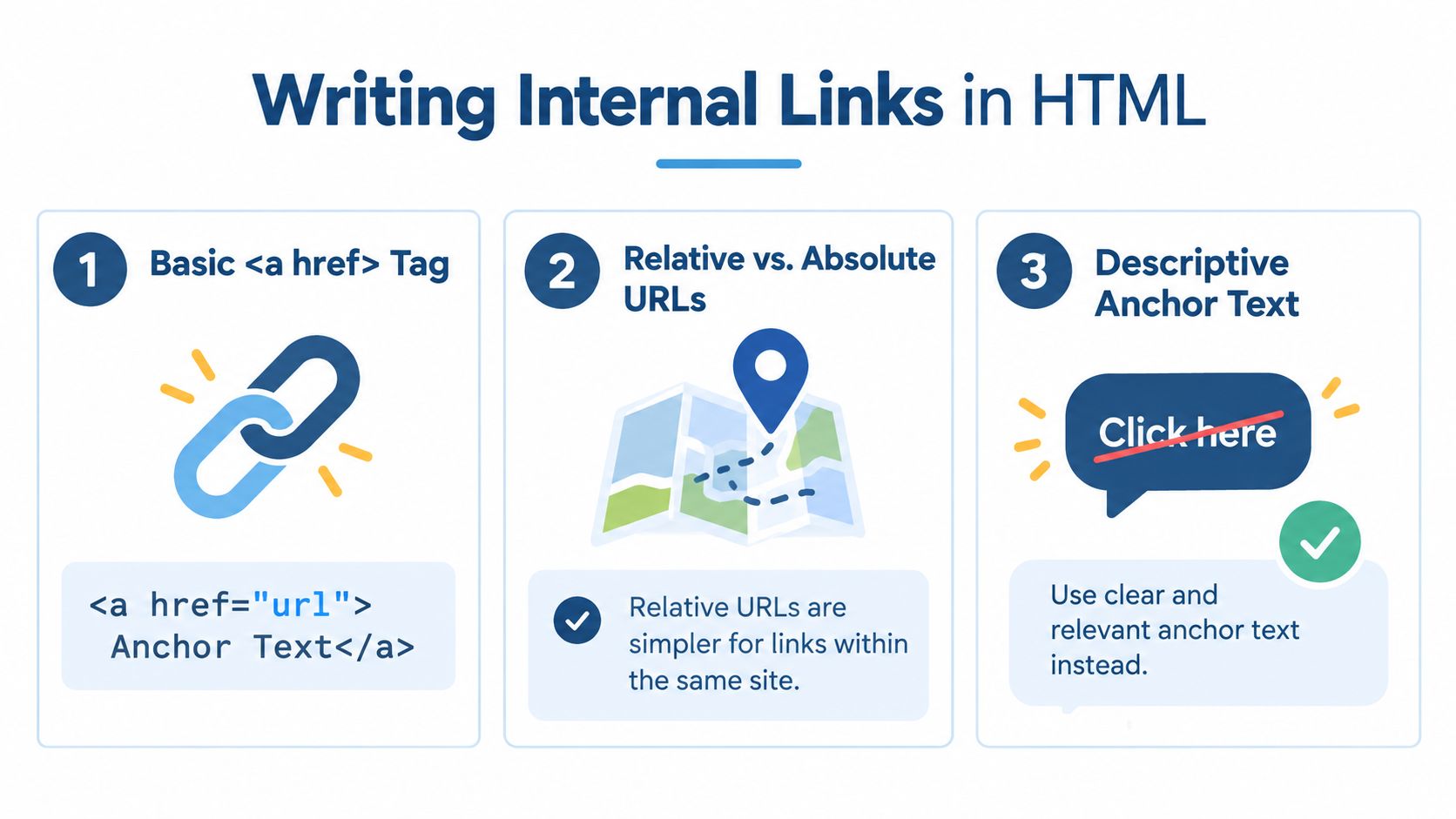
The basic HTML pattern is refreshingly simple:
<a href="/services/sports-injury-treatment/">sports injury treatment</a>
The <a> element creates the link, href identifies the destination and the words between the opening and closing tags form the anchor text. A Bristol physiotherapy clinic might place that link in an article about back pain:
<p>Persistent pain after exercise may need specialist assessment. Explore our <a href="/services/sports-injury-treatment/">sports injury treatment</a> service to understand the next steps.</p>
The code is small, but the wording does important work. “Sports injury treatment” tells a visitor what they'll find before they click. “Click here” tells them almost nothing, and screen-reader users navigating through a list of links lose valuable context.
Relative and absolute URLs
For pages on the same website, a relative URL is usually tidy:
<a href="/contact/">contact our Bristol clinic</a>
An absolute URL includes the full domain:
<a href="https://example.co.uk/contact/">contact our Bristol clinic</a>
Both can work, but consistency matters. Relative URLs are convenient in templates and reduce the chance of carrying an old staging domain into production. Absolute URLs can be clearer when content moves between systems or when developers need the complete destination visible in a component. Whichever approach your CMS uses, check that links resolve to the preferred HTTPS version and don't send users through unnecessary redirects.
Use attributes only when they serve a purpose
Most ordinary internal links need no rel attribute:
<a href="/services/conveyancing/">conveyancing services</a>
rel="noopener" is relevant when a link opens a new tab with target="_blank", helping prevent the new page from accessing the original window. For standard internal navigation, opening links in the same tab is generally the better choice. Norfolk County Council's accessibility guidance says internal links should open in the same tab or window, matching user expectations.
rel="sponsored" is for paid or sponsored relationships, not routine internal navigation. Don't add nofollow to ordinary internal links just because it sounds technical. If the destination is important and relevant, a normal followed link is usually the sensible implementation.
The dofollow backlink explained resource is useful for separating link attributes from the broader question of how search engines interpret links. For a local business, the main priority remains straightforward HTML, accurate destinations and anchor text that makes sense when read aloud or out of context.
Building a Hub and Spoke Architecture That Actually Works
A Yorkshire roofing company rarely needs every page linked to every other page. That creates a web of noise. A clearer model uses one hub page for the main service, supported by focused spoke pages.
The hub might be “Roof Repair in Yorkshire”. Spokes could cover slate roof repairs, flat roof repairs and emergency roof callouts. Each spoke should link back to the hub, while the hub links out to every relevant spoke. Related spokes can cross-link where the reader is likely to need both services.
A practical linking pattern
Use this structure as a working blueprint:
-
Start with the hub. Make the core commercial service page the central destination. It should explain the service, audience, location and next action clearly.
-
Build useful spokes. A page about slate roofs should answer slate-specific questions, not exist merely to repeat “roof repair Yorkshire” in slightly different clothing.
-
Link back early. UK guidance recommends placing one hub link in each spoke within the first 30% of the page. Use descriptive wording such as “our slate roof repair service”, rather than a detached “learn more”. UK internal-linking architecture guidance provides this placement rule alongside practical hub-and-spoke advice.
-
Cross-link carefully. Keep 1–3 contextual links between closely related spokes, where the connection helps. A flat roof article can link to emergency callouts if urgent damage is discussed. It shouldn't link to every roofing page because the links are available.
-
Use more than the menu. Navigation is important, but it shouldn't carry the entire burden. Contextual links inside useful copy help visitors understand why the next page is relevant.
HTML might look like this on an emergency callout page:
<p>If storm damage has left your property exposed, our <a href="/roof-repair-yorkshire/">Yorkshire roof repair team</a> can assess the problem and explain the available options.</p>
The wording supports the reader first. It also gives the destination a clear topical relationship.
Keep commercial pages supplied with useful routes
A hub shouldn't be an isolated sales page surrounded by blog content that never points towards it. Link from relevant guides, FAQs and location pages into the hub, then give visitors sensible routes from the hub into supporting detail. SMB website structure tips can help small businesses think through the broader hierarchy before editing templates.
The result should feel like a helpful conversation. Someone reading about slate damage gets a route to repair services. Someone comparing repair types can reach the relevant local page. Nobody needs a sat-nav, a packed lunch or a lucky horseshoe.
Common Internal Linking Mistakes and How to Fix Them
The most damaging mistakes are often mundane. A link says the wrong thing, points nowhere or sends attention to a page that doesn't help the business. The site may look perfectly respectable until someone follows the paths properly.
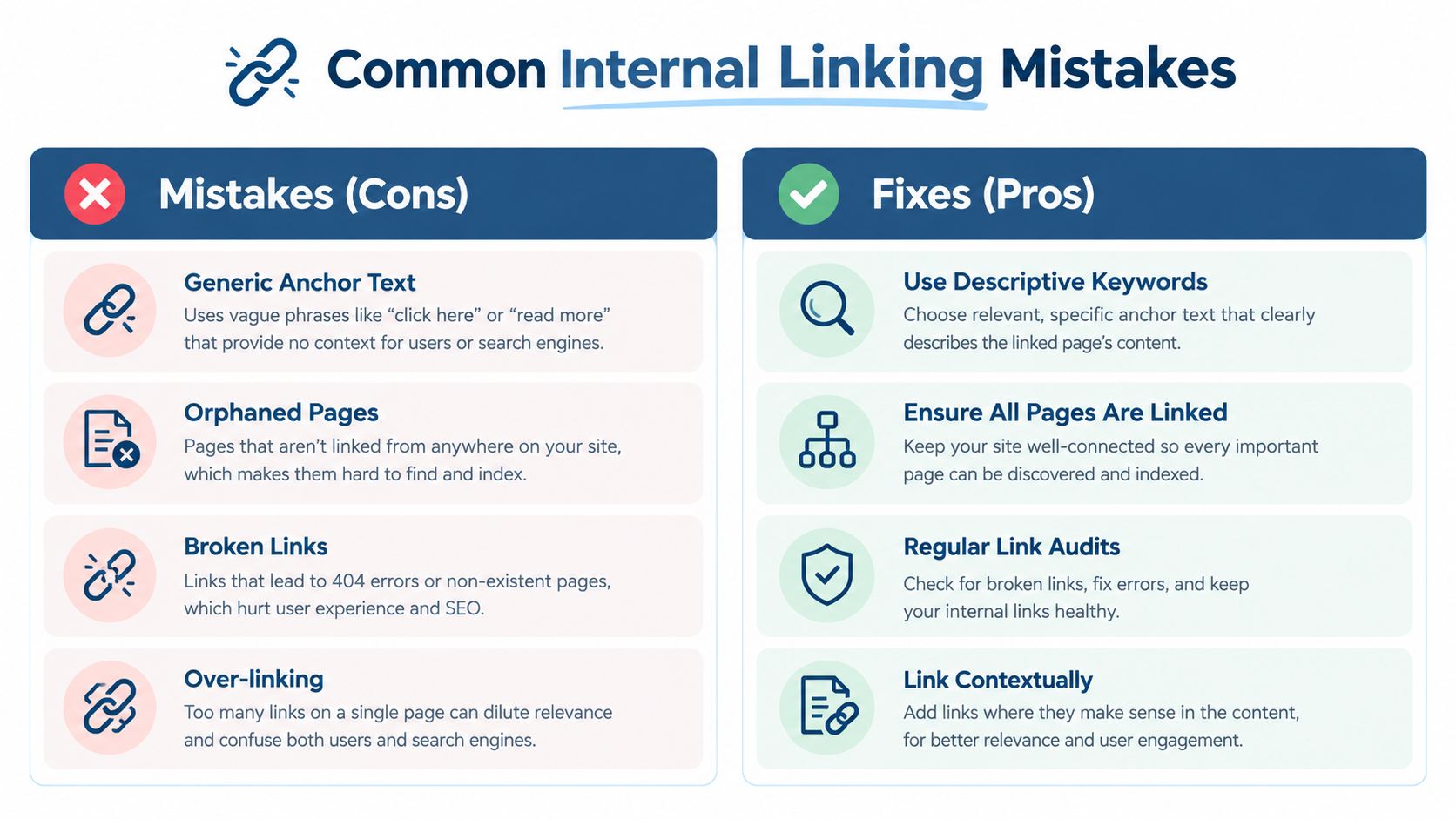
Generic anchors hide useful meaning
Before:
<a href="/services/">click here</a>
After:
<a href="/services/conveyancing/">view our conveyancing services</a>
GOV.UK guidance specifically advises against generic phrases such as “click here”. Descriptive text helps visitors understand the destination and gives assistive technology more useful information. It also gives Google clearer context about the relationship between the source and destination pages.
Orphaned pages waste finished work
A detailed service page with no internal links pointing towards it is an orphan. Add a route from a relevant hub, a related article or the homepage where appropriate. Google's crawlable links guidance is clear that pages you care about need a link from another page on the site.
A page with only one incoming link can also deserve attention. It may be technically discoverable but still under-supported within the site's structure. Look for natural opportunities rather than adding links mechanically.
Broken links turn navigation into a pub with no beer
The Department for Work and Pensions' Accessibility Manual states, “All links must work,” including avoiding 404 errors and failed internal destinations. Replace deleted URLs, update links after migrations and test important routes rather than assuming the CMS has handled everything.
A link should normally stay in the same tab for internal navigation. Don't force users to manage a small collection of browser tabs just to read your service pages.
Over-linking dilutes attention
UK guidance recommends 2–5 contextual internal links per 1,000 words of body content and keeping total page links below 150, as detailed in UK on-page internal linking guidance. These are practical benchmarks, not permission to sprinkle links like confetti. Remove links that interrupt reading, repeat the same destination without reason or lead to low-priority content while important revenue pages remain starved.
White-hat internal linking improves navigation and clarity. Grey-hat tactics often push awkward exact-match anchors into every paragraph. Black-hat behaviour tries to manipulate signals with hidden or irrelevant links. Keep the link visible, useful and honest.
Auditing and Scaling Internal Links Across Your Site
Start with a crawl of the website, then export the internal link report. Sort pages by inbound link count to find orphans and pages with very weak support. The report should show which pages link in, which pages link out and whether any destination returns an error.
A practical audit workflow looks like this:
- Crawl the full site: Include service pages, blog posts, location pages and important documents hosted through HTML landing pages.
- Sort inbound links: Investigate pages with zero or one incoming internal link, especially if they generate enquiries.
- Map the hierarchy: Identify each hub, its spokes and the cross-links that support the visitor journey.
- Check destinations: Test links for 404 errors, redirects and incorrect URLs.
- Review priority: Look for authoritative pages linking to low-priority content while commercial pages receive little internal support.
- Record changes: Keep a simple spreadsheet with source URL, destination URL, anchor text and status.
Important pages should stay within 3 or 4 clicks of the homepage, according to UK internal-linking guidance from Reflect Digital's internal linking guide. A multi-location solicitor, for example, should avoid burying branch pages beneath several layers of generic category pages.
Scaling templates without creating link soup
Large sites need rules inside templates, but automation can produce repetitive anchors and irrelevant links. A location template might link to the relevant local service hub, a contact page and a related guide. It shouldn't force every branch page to link to every service in the country.
Use CMS logic to vary destinations by location and service relationship. Keep anchor wording natural, make the local relevance visible in surrounding copy and prevent repeated blocks from overwhelming the page. Google's crawlable links guidance should remain the technical baseline, while UK accessibility guidance keeps the human experience in view.
Audit important sites quarterly, or monthly for larger sites, following UK workflow guidance. A technical review such as https://digivisi.co.uk/technical-seo-audit-services/ can be useful when templates, location pages and redirects have grown beyond what a quick manual check can sensibly cover.
Your Internal Linking Action Plan
Good internal linking HTML joins three priorities that are often treated separately. Google needs crawlable routes. Users need clear navigation. UK accessibility standards require links to be meaningful, functional and predictable. The strongest implementation satisfies all three without making the page sound like it was assembled by a keyword-powered lawnmower.
Start with the pages that matter commercially, then work outwards:
-
List priority pages. Include core services, locations and pages that generate qualified enquiries.
-
Give each page a route. Ensure every important destination has at least one internal link from another relevant page.
-
Choose descriptive anchors. Replace “click here” with wording that explains the destination, such as “emergency boiler repair in Leeds”.
-
Create hubs and spokes. Link supporting guides back to their main service hub, then connect related supporting pages only where the relationship helps.
-
Fix technical failures. Remove broken links, update stale URLs and keep internal navigation in the same tab.
-
Control template links. On multi-location sites, use rules that preserve local relevance rather than repeating the same list everywhere.
-
Audit consistently. Review quarterly, or monthly for larger websites, and prioritise orphaned, under-linked and commercially important pages.
The best links feel almost obvious. A visitor reading about blocked drains should find a route to drain clearance. Someone viewing a local family law page should be able to reach the relevant enquiry route without returning to the homepage. That simplicity is the point.
Treat the site like a well-organised high street. Important shops have clear signs, sensible paths and doors that open. They aren't hidden behind a hedge with a handwritten note saying “click here”.
DigiVisi Ltd helps UK service businesses audit and improve internal links across important service and location pages, alongside wider technical and on-page SEO. Visit DigiVisi Ltd to discuss a practical route from clearer site structure to more useful enquiries.