Skip to content
A busy Manchester plumber uploads fresh photos of a bathroom refit, a boiler install, and a neat little pipe repair. The site looks lively enough, but Google Images sends no new visitors, screen readers get nothing useful, and the pictures might as well be hanging in a locked cupboard at the back of the shed. That's where image alt text SEO stops being a dusty technical detail and starts doing proper work for a UK service business.
The good news is that alt text isn't wizardry. It's a small, disciplined habit that helps people understand what an image is for, while giving search engines a clearer clue about the page. Done well, it's white-hat SEO with manners. Done badly, it slides into grey-hat fluff or full-on keyword stuffing, which is about as subtle as a trombone in a library.
Table of Contents
- Introduction
- Understanding the Key Concepts
- How Alt Text Boosts SEO and Accessibility
- Best Practices and Patterns for Alt Text
- Real-World Examples and Templates
- Implementing Alt Text in Popular CMSs
- Auditing Automation and Validation Techniques
- Conclusion and Next Steps
Introduction
A local business owner usually notices image problems after the hard work is already done. The photos are uploaded, the service page is live, and the team moves on to the next job, only to realise the gallery is doing very little for discovery or accessibility. That's frustrating, because the images already exist, they just aren't being introduced properly.
For a UK plumber, electrician, solicitor, or gardener, image alt text is one of those tiny pieces of page copy that pulls its weight. Google's image guidance says alt text should be useful, information-rich, and written in page context, while warning that keyword stuffing can create a negative user experience and even look spammy to search engines, which is a rather unflattering outfit for any site to wear Google's image-search guidance summary. That puts alt text firmly in the white-hat camp when it's written properly, and firmly in the “please don't do that” category when it turns into a string of repeated keywords.
A lot of local businesses treat images as decoration. They're not. They're evidence, reassurance, and often the closest thing a customer gets to a first impression before they pick up the phone. Get the alt text right, and the image starts helping both people and search engines understand what the page is about.
Understanding the Key Concepts
What alt text really does
Alt text is the short written description attached to an image in your website's HTML or CMS. Think of it as a signpost outside a village hall, it tells visitors what's inside without forcing them to peer through the window. For screen reader users, that signpost matters because it lets them understand the image without seeing it.
Google's own image guidance says alt text should be useful, information-rich, and context-aware, and it should support the page rather than behave like a keyword list Google Images guidance. That's the right mindset for image alt text SEO, especially on a service page where the image is part proof, part context, part trust signal.
Alt text is not a filename or a caption
A filename tells a computer what the file is called, while alt text tells a person and a search engine what the image means on the page. A caption is different again, because it appears visibly under or near the image and can add context for everyone. The job of alt text is narrower and more practical.
Here's the simplest way to think about the trio:
- Filename: the file's label, usually useful for organisation.
- Alt text: the accessible description, tuned to the image's purpose.
- Caption: visible supporting text, if you want one.
Practical rule: if the image disappeared, the alt text should still tell the visitor why that image mattered in the first place.
For UK businesses that want a straightforward route to improve search engine rankings, the value is in clarity, not cleverness. A photo of a finished loft conversion isn't “best builder London best builder London best builder London”. It's a loft conversion photo that shows the quality of work, the style of property, or the stage of completion.
Why context beats decoration
Alt text works best when it matches the surrounding page copy. If the page is about emergency plumbing, the image should support that topic. If the page is about commercial electrical testing, the image shouldn't wander off into a poetic little rant about a random socket.
That's why alt text is a precision signal. It helps people understand the image, and it helps search engines read the page as a coherent whole. When the description fits the context, it feels natural. When it doesn't, it starts looking like someone has been let loose with a bucket of keywords and a grudge.
How Alt Text Boosts SEO and Accessibility

What search engines do with alt text
Google makes a technical distinction that matters. Alt text is a confirmed ranking factor for Google Image Search, but it is not a separate ranking factor for standard Google Web Search, where it behaves more like normal page text Search Engine Journal summary. That means the image can help discovery in Images and contribute to broader relevance on the page, but it's not a magic ranking lever for the whole website.
That distinction keeps strategy honest. A Bristol solicitor can use alt text to help an image of a consultation room get understood, but stuffing every image with “best solicitor Bristol” is still a grey-hat wobble. Search engines are not stupid, and users certainly aren't fooled for long.
Why accessibility and SEO meet in the middle
The accessibility side is just as important. Screen readers turn alt text into spoken words, so the text needs to describe the image's purpose, not merely repeat what an office chair, van, or staircase looks like. Harvard-style guidance on describing images says alt text should usually stay short, avoid redundant phrasing such as “image of”, and focus on what the user needs to know Harvard accessibility guidance.
That's good SEO too, because clear descriptions tend to be more useful than bloated ones. A page full of honest, specific image descriptions feels coherent, and coherent pages are easier for search engines to interpret. If you want a broader accessibility checkpoint for site owners, an Exclusive Addons WCAG compliance checklist can help you spot image and interface issues without treating accessibility like a box-ticking exercise.
Why local service sites benefit
Local service businesses often rely on trust more than glamour. A gallery photo of a rewired kitchen, a repaired gutter, or a newly fitted patio tells a story very quickly. Alt text helps that story travel further.
It also supports users who can't see the image well, users with images turned off, and users scanning the page in a hurry. In practical terms, that means better usability, better understanding, and a cleaner SEO footprint. No fireworks, just solid housekeeping, which is usually what wins in local search anyway.
Best Practices and Patterns for Alt Text

Keep it short, specific, and human
Across UK-facing accessibility guidance, alt text is commonly kept under 125 characters, and some guidance says screen readers can stop at that length, which means longer text may get chopped off mid-thought UK alt text guidance. The practical takeaway is simple. Write enough to be useful, then stop before you start wandering into novel territory.
A good description usually says what the image is, why it matters, and how it relates to the page. That doesn't mean listing every detail in the room. It means picking the detail that helps the user understand the point of the image.
Use keywords sparingly, not like confetti
Multiple SEO and accessibility sources agree on the anti-spam rule, keyword use should be natural and restrained HubSpot image alt text guidance. One relevant phrase can make sense where the image properly supports the page topic. Repeating the same phrase across every image is the kind of tactic that makes a page read like a badly trained parrot.
White-hat alt text sounds like a person describing a useful image. Grey-hat alt text sounds like someone trying to smuggle search terms past a guard. Black-hat alt text is when the keyword stuffing becomes so obvious that it's less SEO and more digital distress signal.
If you'd say it aloud to a customer without blushing, you're probably on the right track.
Know when to leave it empty
Not every image needs a description. Decorative flourishes, background shapes, or images that add no meaningful information should use an empty alt attribute, alt="", so screen readers skip them cleanly. That stops unnecessary noise from piling up and keeps the page easier to use.
A simple decision rule helps here:
- Meaningful image: describe its purpose in context.
- Decorative image: leave the alt empty.
- Text-heavy image or chart: describe the gist, and provide the underlying text elsewhere if needed.
Build from function, not wallpaper
A lot of poor alt text happens because the writer describes the photograph instead of the page function. For a service business, the function often matters more than the colour of the van or the angle of the fence panel. If the image is there to prove workmanship, then workmanship is the thing to describe.
That's where the best alt text feels almost boring in the best possible way. It's calm, clear, and useful. No opera. No over-egged adjectives. Just the sort of wording that helps a visitor and doesn't make Google's systems roll their eyes.
Real-World Examples and Templates

Weak text versus useful text
A weak alt tag often sounds vague or repetitive. A useful one tells the reader what the image proves.
- Weak: “plumber manchester plumber manchester”
- Better: “Boiler replacement completed in a Manchester terraced home”
- Weak: “electrician image”
- Better: “Consumer unit upgrade in a Leicester kitchen utility room”
- Weak: “solicitor office”
- Better: “Client meeting room used for property conveyancing consultations in Bristol”
Each stronger version works because it gives context. It names the service, but it doesn't shout it six times like it's trying to sell raffle tickets.
Copy-paste templates you can adapt
Use these as starting points, then tweak them so they match the image and page topic:
- Plumbing: “New shower valve fitted in a [room type] in [town or city]”
- Electrical: “Fuse board upgrade completed in a [property type] in [town or city]”
- Legal: “Consultation room prepared for [service type] appointments in [town or city]”
- Garden or landscaping: “Front garden patio installed with [material] in a [property type] in [town or city]”
For a Sheffield patio project, “Front garden patio installed with porcelain slabs in a Sheffield terrace” works because it's specific, grounded, and relevant to the service page. It doesn't try to do too much. It just tells the truth about the image.
A few smart patterns
When you're writing alt text for local business pages, the safest approach is to describe the action, the service, and the location if it matters. If the image shows finished work, say that. If it shows a team member on site, say that. If the image is only there for visual balance, don't force it into an SEO costume.
Practical rule: if the image could help a customer choose you, describe what makes it persuasive.
That's the difference between white-hat and black-hat thinking. White-hat alt text supports the user. Grey-hat alt text tries to impress the crawler. Black-hat alt text tries to bully the page into relevance. Only one of those has long-term manners.
Implementing Alt Text in Popular CMSs
Where to find the field
Most CMS platforms put the alt text field somewhere near the media uploader, image settings panel, or block sidebar. The exact labels vary, but the job stays the same, enter a short description that suits the image's role on the page.
| CMS | Alt Text Field Location |
|---|---|
| WordPress | Media Library attachment details, image block settings, or the right-hand sidebar in the block editor |
| Shopify | Product media image settings inside the product editor |
| Squarespace | Image settings panel, usually under the design or content options for the block |
| Wix | Image settings or media manager, depending on where the image sits on the page |
WordPress and Shopify in practice
In WordPress, open the Media Library, click the image, and fill the alt text field before or after placing the image in the page. If you're editing a page block, check the sidebar for the image settings, because some themes hide the field in a slightly different spot. Batch-editing is easiest in the Media Library when you've got a stack of service photos sitting there like they're waiting for instructions.
In Shopify, alt text usually lives in the product media area. That matters for service businesses selling booking-linked products, equipment, or productised services, because the image text should support the product or service being shown rather than describing random visual details that don't help a shopper.
Squarespace and Wix in practice
Squarespace tends to surface image options inside the block editor or the image settings panel. If the image is part of a banner or card layout, check the block's configuration first, because the field may not be where you expect it. Wix follows a similar pattern, with the media manager and image settings doing the heavy lifting.
For developers or site builders who want to keep the markup tidy, Google recommends pairing alt text with responsive images via <picture> or srcset, plus image sitemaps, descriptive filenames, and structured data to support crawlability and image search performance Google Images guidance. That's sensible technical housekeeping, and it keeps the page from becoming a chaotic jumble of oversized assets and half-finished metadata.
A small implementation habit that pays off
Write the alt text at upload time, not six weeks later after the client chases you about a missing gallery. If you leave it until the end, the best images are usually the ones you forget. That's how useful photos end up wearing generic labels like an unattended coat at a wedding.
Auditing Automation and Validation Techniques
Start with a crawl, not guesswork
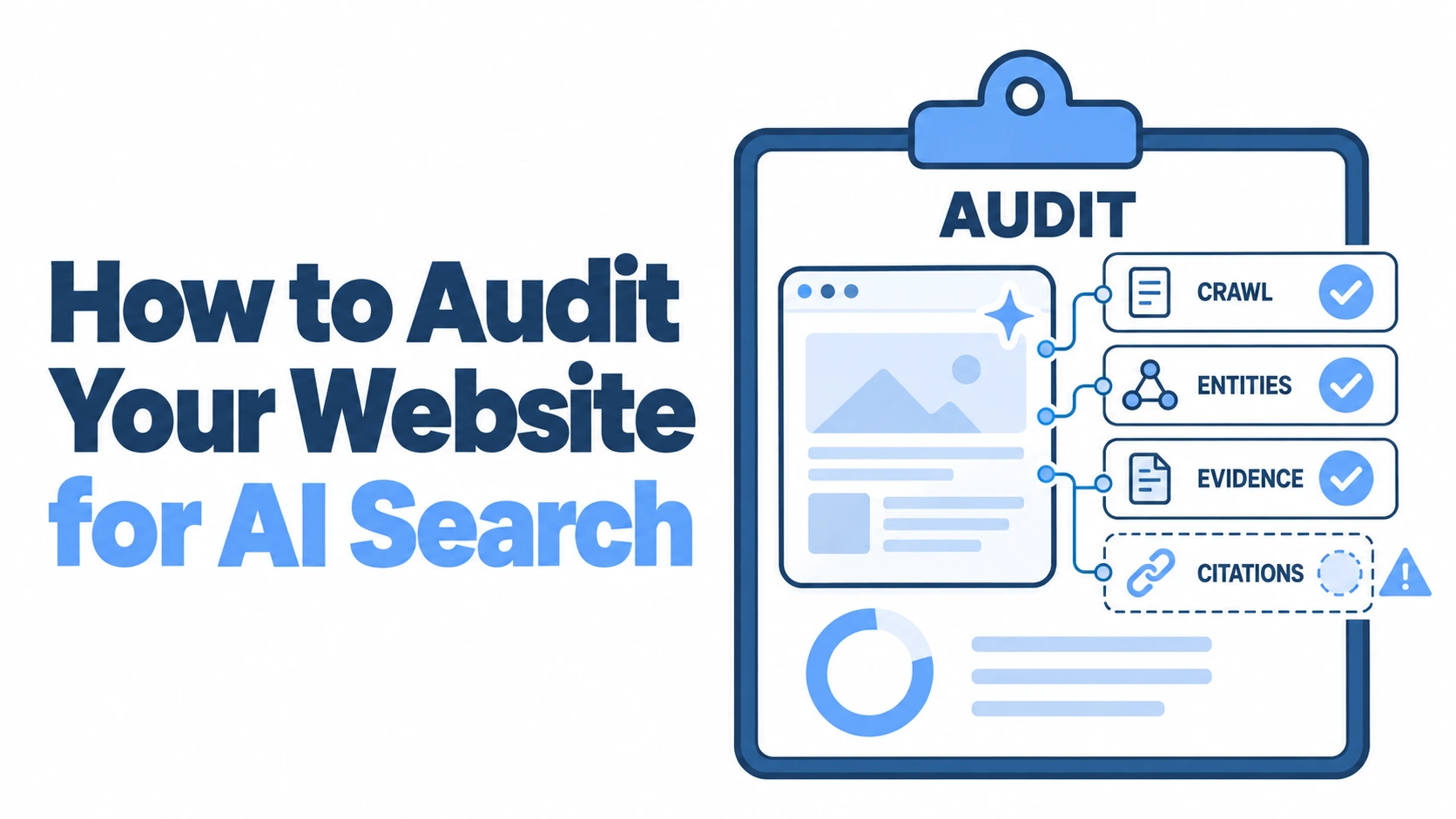
If a site already has dozens or hundreds of images, the easiest win is a structured audit. A crawl with a tool such as Screaming Frog can surface missing alt attributes, duplicated patterns, and images with empty descriptions that probably shouldn't be empty. That's far better than clicking around the site one picture at a time and hoping your coffee lasts.
For a practical local SEO workflow, a local SEO audit checklist can help you slot image checks into the same routine you use for pages, headings, and internal links. Image alt text works best when it's reviewed alongside the rest of the page, not as a lonely afterthought in a forgotten spreadsheet.
Use simple checks before you automate everything
Automation is useful, but it shouldn't become an excuse to stop thinking. A browser extension can reveal whether alt text is missing, and a spreadsheet export can help you spot repeated patterns like the same boilerplate phrase on every image. Once you see the pattern, you can fix the habit, which is the core purpose.
A sensible audit process looks like this:
- Export image data: pull the image URLs, page URLs, and alt attributes from your crawl.
- Sort by issue type: group missing, empty, duplicated, and overly long entries.
- Review by page purpose: check whether the description matches the surrounding content.
- Rewrite high-value pages first: prioritise service pages, location pages, and key conversions.
Make quality control part of routine SEO work
Alt text shouldn't be treated like a one-off housekeeping job. It belongs in the same review cycle as title tags, headers, and internal links. If your team uploads new before-and-after photos every month, the image descriptions need to keep pace.
That's also where AI-generated descriptions can mislead people. They're quick, but they're not automatically correct, and they often miss the page context. Use them as a draft at most, then edit them like a human with a conscience and a keyboard.
Practical rule: if an automated description sounds plausible but not quite right, it probably needs a rewrite.
The best systems are boring in the best sense. They catch missing alt text early, flag overstuffed descriptions, and keep the site readable for both users and crawlers. That's solid SEO maintenance, not glamorous, but then neither is fixing a leaky pipe, and people still call the plumber.
Conclusion and Next Steps
Alt text is small, but it punches above its weight. It helps screen reader users, it gives Google Image Search better context, and it keeps service pages honest about what the images are for. The best version is short, specific, and tied to the page, not stuffed with keywords like a suitcase that won't quite shut.
For UK local businesses, the practical win is simple. Write alt text with purpose, use it where the image matters, leave it empty where the image is decorative, and check it regularly during audits. If you start using templates today, your site will become clearer for users and easier to interpret for search engines.
A CTA for DigiVisi Ltd.